Game Table
For game developers
You bring the idea.
The platform brings the table.
The platform is made for agentic coding. You focus on the game idea, its design and the experience at the table; your AI agent writes the code. A game is a folder: a manifest, pure TypeScript rules, and optional board and phone screens in plain JavaScript. The developer guide is written for language models first, so your agent can read the contract and build a complete game.
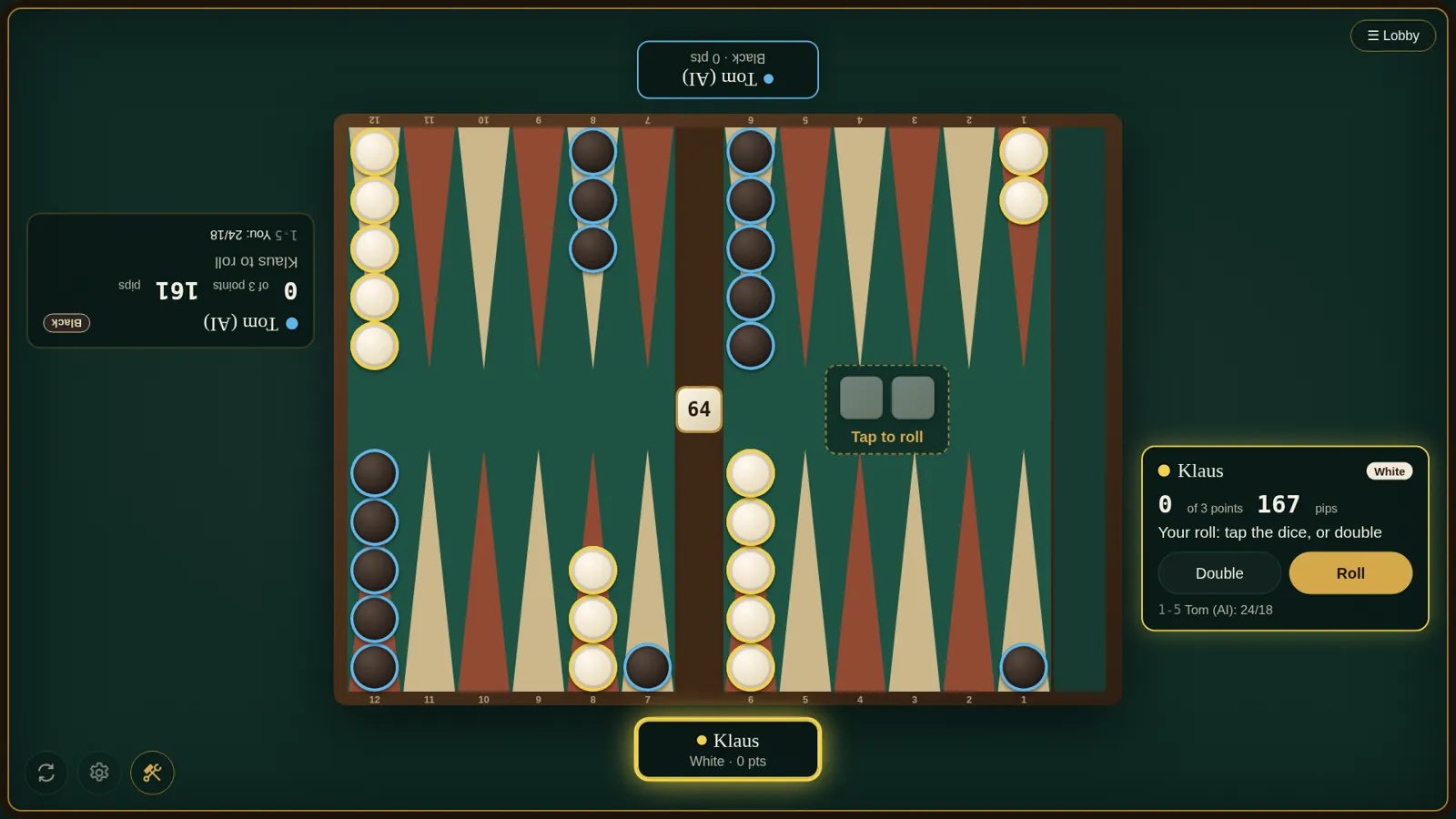
“Create a backgammon game for the game platform.”
That was the whole prompt. Claude read the developer guide and came back with a working Backgammon, without anyone looking over its shoulder. A few hours of polish later it plays matches to 100 points with the doubling cube and the Crawford rule, its checkers move by tap or by drag and drop, and its strongest AI players come from wildbg, Carsten Wenderdel's open-source neural-network engine, which Claude ported to TypeScript and tested against its own AI. Everything else it simply gets from the platform:
- AI players, six strengths
- A touch board: tap or drag
- Private phone decks
- Remote players and watchers
- Timers, pauses, exchanges
- Logs, replay and statistics
The session on the left is a re-enactment; the prompt is the real one.
Five steps from idea to table
Start from a working repository
Copy extra-games: five complete games, tests that run them on the real platform, and CI. Or start inside the platform from games/coin-flip, the smallest complete game.
Let your AI read the contract
llms.txt points to the developer guide: the manifest, every rules hook, what the platform does with players, and a checklist. One file holds it all: llms-full.txt.
Write rules, not plumbing
Rules are pure functions on a JSON state: setup, onIntent, view, boardView, isOver, plus an AI. Randomness comes from the context, so every game can be replayed and checked.
Play it, even without a phone
Run a table on your laptop. Play from the board puts a player's deck beside the board, AI players take the other seats, and the Game Viewer shows each move if something looks wrong.
Bring it to every table
Your repository's games/ folder becomes an extra-game repository: clone it into a local table, or let a game service install it on its tables.
import { defineGame } from "@game-table/sdk";

// Coin Flip, shortened: everyone guesses, then the coin flips.
export default defineGame<State>({
  setup(ctx, settings) {
    const seats = ctx.seats.map((s) => s.seat);
    const rounds = Number(settings.rounds);
    return { round: 1, rounds, seats, guesses: {}, scores: {} };
  },

  onIntent(state, seat, intent, ctx) {
    if (intent.name !== "guess") return { reject: "unknown move" };
    const guesses = { ...state.guesses, [seat]: intent.payload };
    const next = { ...state, guesses };
    return allGuessed(next) ? flip(next, ctx) : { state: next };
  },

  // Each phone sees its own seat; the board sees what is public.
  view: (state, seat) => ({ myGuess: state.guesses[seat] ?? null }),
  boardView: (state) => ({ round: state.round, scores: state.scores }),
  isOver: (state) => (state.round > state.rounds ? summary(state) : null),

  // AI players read the same view a phone gets, nothing more.
  ai: (view, seat, ctx) => ({
    name: "guess",
    payload: ctx.random() < 0.5 ? "heads" : "tails",
  }),
});

// flip() draws from ctx.random(), never Math.random():
// every game replays exactly, and the platform checks it.
// games/coin-flip/manifest.json (shortened)
{
  "id": "coin-flip",
  "name": "Coin Flip",
  "version": "2026.10.23.1",
  "players": { "min": 1, "max": 8 },
  "turnModel": "simultaneous",
  "seatLayouts": [2, 4, 6, 8],
  "dynamicPlayers": true,
  "settings": [
    { "key": "rounds", "type": "int", "min": 1, "max": 20, "default": 3, "label": "Rounds" }
  ],
  "ai": { "supported": true, "options": [] },
  "simulation": { "supported": true, "headless": true }
}

// The board shows the settings; the lobby checks the player count.
games/
└── yahtzee/
    ├── manifest.json     id, players, seats, settings, AI options
    ├── rules.ts          pure, deterministic rules + AI
    ├── board.js          the shared touchscreen (optional)
    ├── deck.js           each player's phone (optional)
    ├── how-to-play.md    rules for players, shown on board and phone
    └── assets/           images, sounds

// UI modules: mount(root, ctx) → { update(view, events, info), destroy() }
// No build step: TypeScript runs natively on Node 26.
You prompt your AI agent
- Your game idea and its rules
- What each phone and the board may see
- AI players, in one style or several
- The look and feel of the board and the phones
- Rules for players to read
The platform does
- Lobby, seats, names, colours, the QR code
- Joining, leaving, away phones, exchanging players
- AI scheduling at the board's pace, pauses, timers
- The sling: cards pushed off a phone come onto the board at that seat
- Remote players and watchers over WebRTC
- Logs, replay checks, the Game Viewer, statistics, simulations
Demo game
Make the table your own: Mexican Train.
Mexican Train, in extra-games, is a demo for developers: a game that changes nearly everything you see and hear, and still lets the platform handle the lobby, the seats and the players. Copy any part of it into your own game.
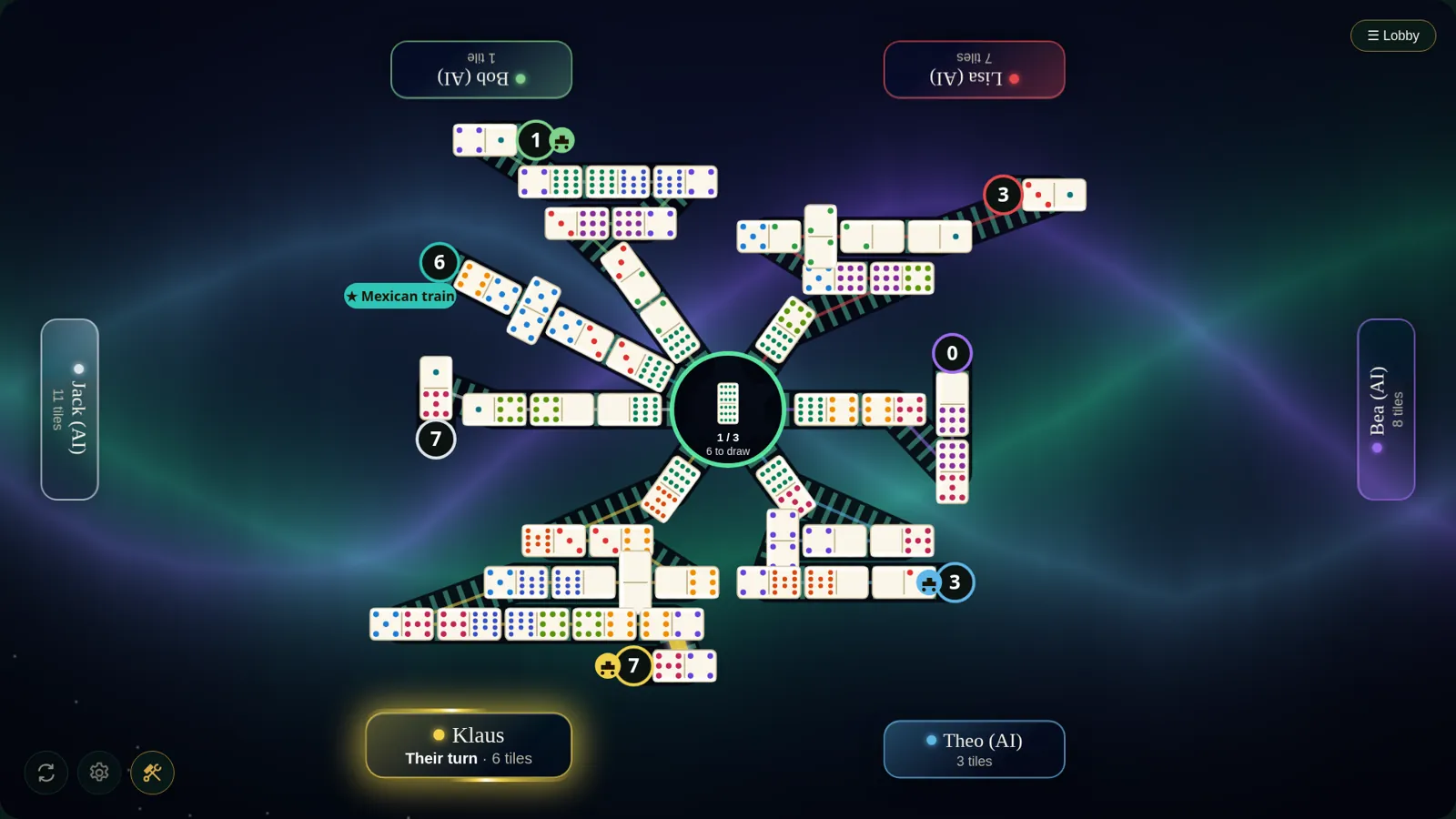
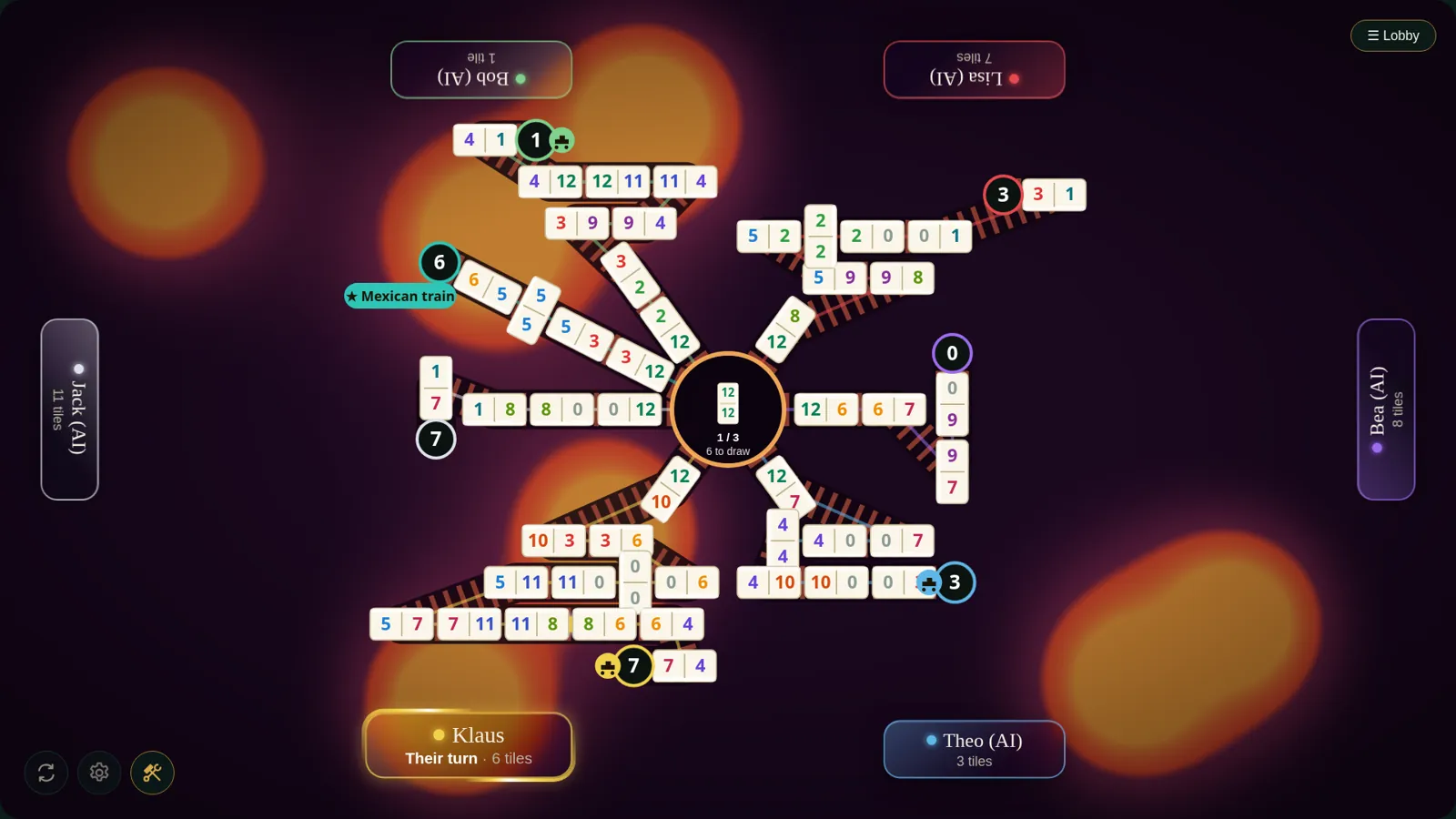
- A board that sizes itself. A train can grow to 47 tiles: it bends into rows, and the tiles shrink only as far as they must.
- Animated backgrounds. Aurora, lava, plasma, fireflies, a starfield or clouds, drawn by the game itself; or a new one each round.
- The platform's seat plates, restyled. Glass you can see the background through, glowing on the player whose turn it is.
- Its own sound and music. Tile clacks and a train whistle, and tunes the game composes as it plays.
- Rule options and table preferences. House rules picked when the game starts; tile faces, background and music changed any time from the board's settings.
- Its own phone screen. Your hand, the trains you may play on and two taps to play, in the platform's phone layout.
Platform feature
The sling: push a card off your phone, onto the table.
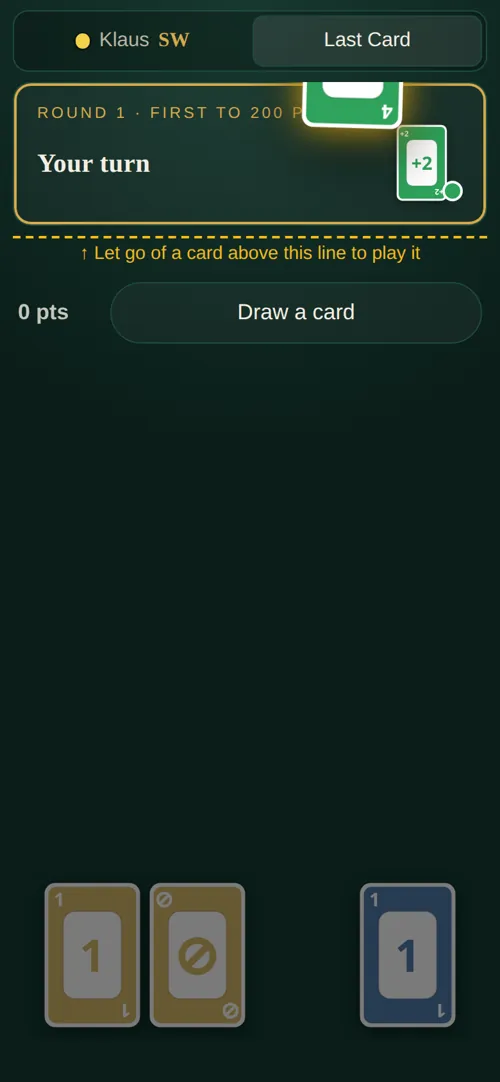
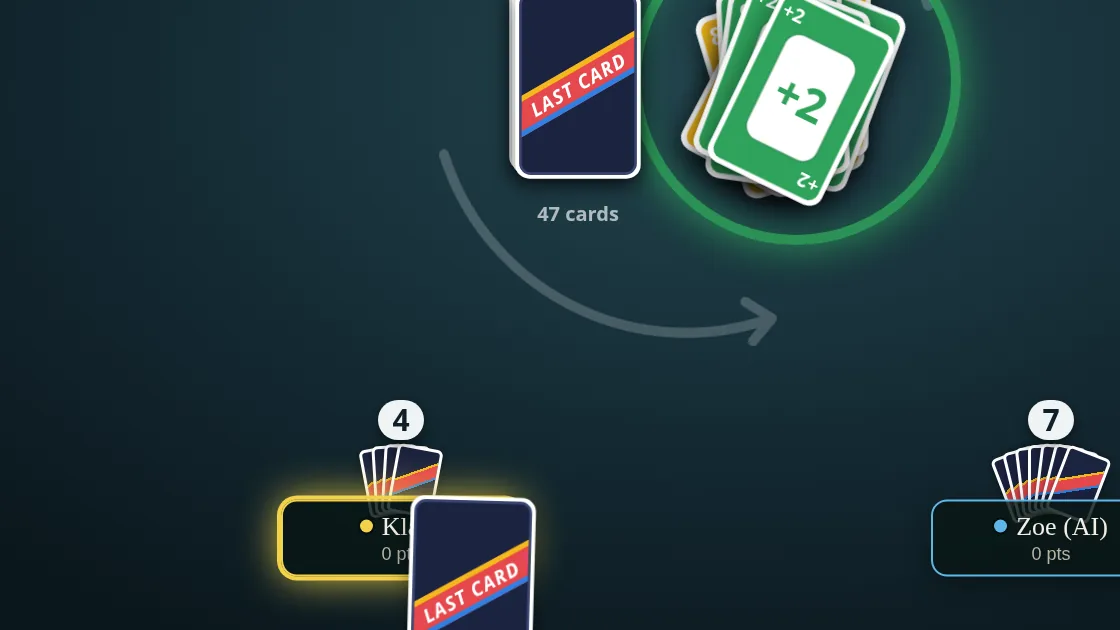
A game can let players push a card up and off the top of their phone. While the finger is still on the glass, the board shows the card coming in at that player's edge; let go and it flies onto the pile. Drawn cards fly the other way. Last Card, a game in extra-games, is built on it.
- 1Push a card off the top of your phone.
- 2The board shows it at your seat while your finger is down.
- 3Let go: it flies onto the pile.
- Live, not after the fact. The phone sends the gesture as it happens, and every board, at the table or remote, shows the card at the right seat and the same angle.
- Push, flick or let go. Off the top of the phone, flicked left, middle or right, or let go above a line under the game's status.
- The rules still decide. The game says which cards may go and what a move means; a card that doesn't fit peeks out and bounces back with the reason.
// deck.js: anything with data-sling="<id>"
slingDeck(hand, ctx, {
  canSling: (id) => fits(id) || "Doesn't match",
  onSling: async (id) => (await ctx.send("play", { id })).ok,
});
// board.js: at the seat, then onto the pile
const sling = slingBoard(root, { render });
gesture(seat, data) { sling.gesture(seat, data); }
One player
Not every table needs a crowd: FM-1 Synth.
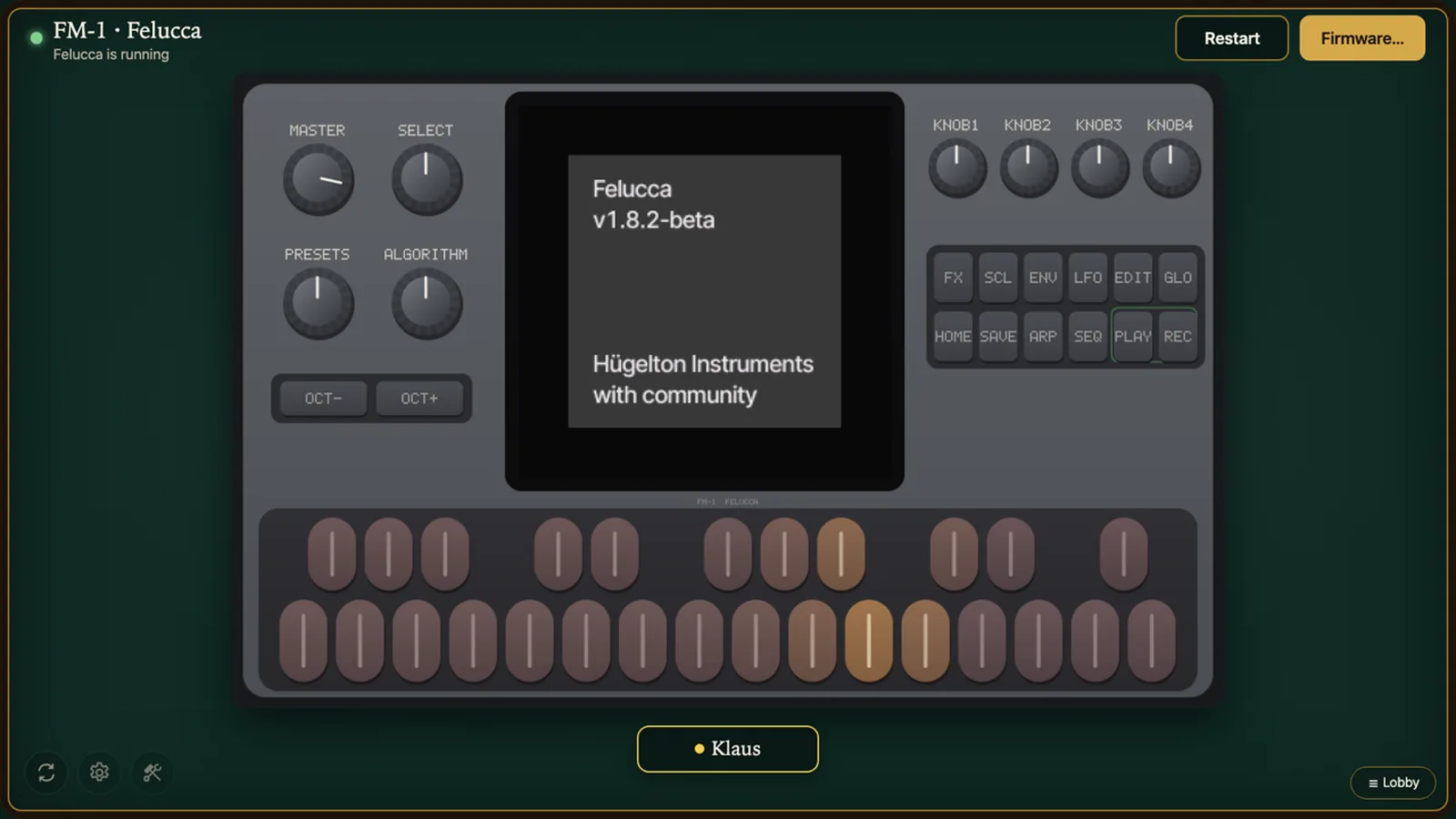
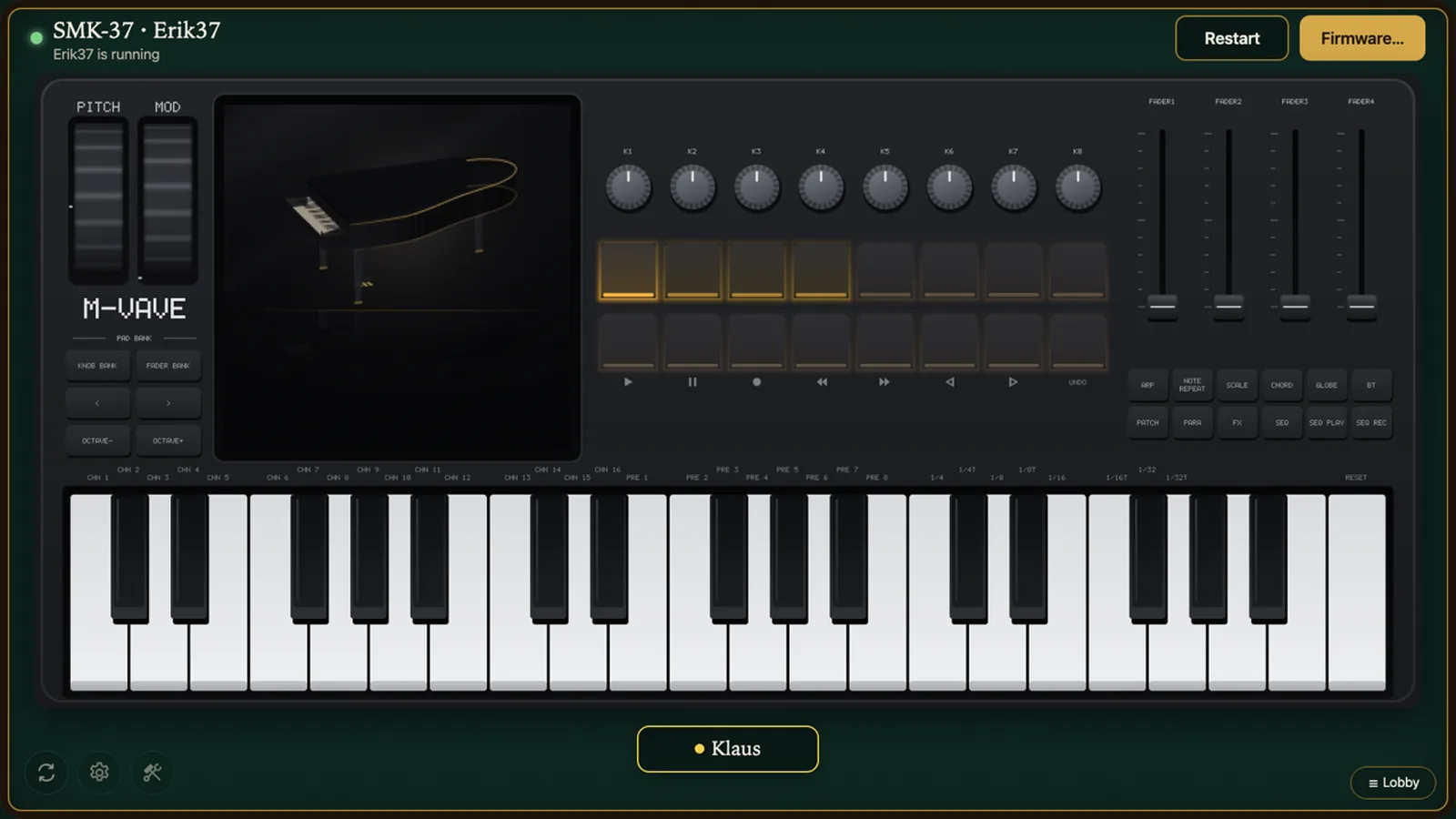
A board you can touch with every finger is an instrument, too. FM-1 Synth puts a pocket synthesizer on the table for one player, in a seat of its own. It is a game like any other to the platform: the lobby, the QR code, the seat plate and the phone work as for Chess, so a single-player idea needs no platform of its own.
- One seat. A game may take a single player; the table gives it one seat at the south, and the board turns north for a player on the other side.
- Played by touch. Keys, knobs, buttons, pads and faders, with as many fingers as you like. No keyboard, MIDI cable or app.
- The real firmwares. The community's firmwares run unchanged; each is downloaded from its author's site when it is picked.
- Your phone is the remote. It shows what runs, lists the firmwares, switches between the two devices and ends the session.
- An emulator in the board. fm1-emu by Joakim Eriksson emulates the FM-1's processor, screen, keys, knobs and sound in WebAssembly; the game runs it on the table's board.
- Open source. The game and its copy of the emulator are in synth-game (MIT). The packages for Windows, macOS and Linux add it at every start, like extra-games.
A second screen
For electric guitar players: GE150 Pro.
Plug a Mooer GE150 Pro multi-effects pedal into the table's computer and the board becomes its editor, big enough to read from where you stand with the guitar. Your phone is the second screen: it sits on the music stand and does what you need between two songs, while your hands stay on the strings. It is an example of what a phone can be besides a hand of cards. The game has its own public repository: github.com/klaushofrichter/ge150pro-game.
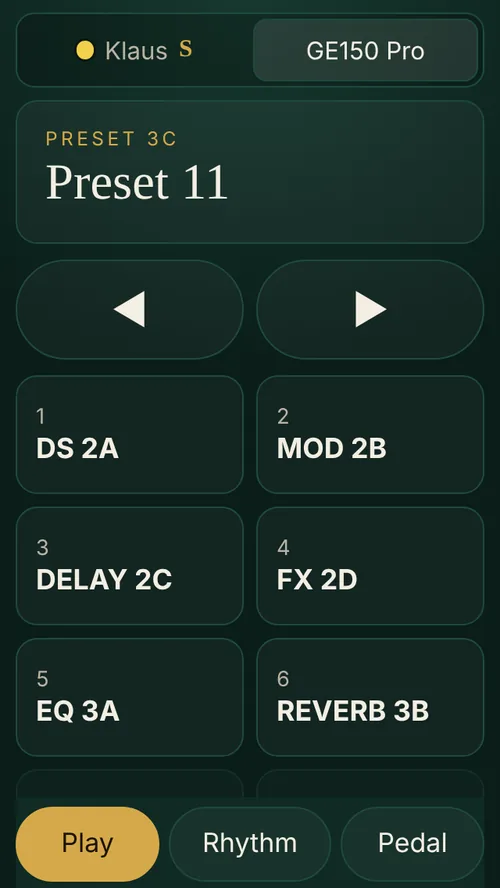
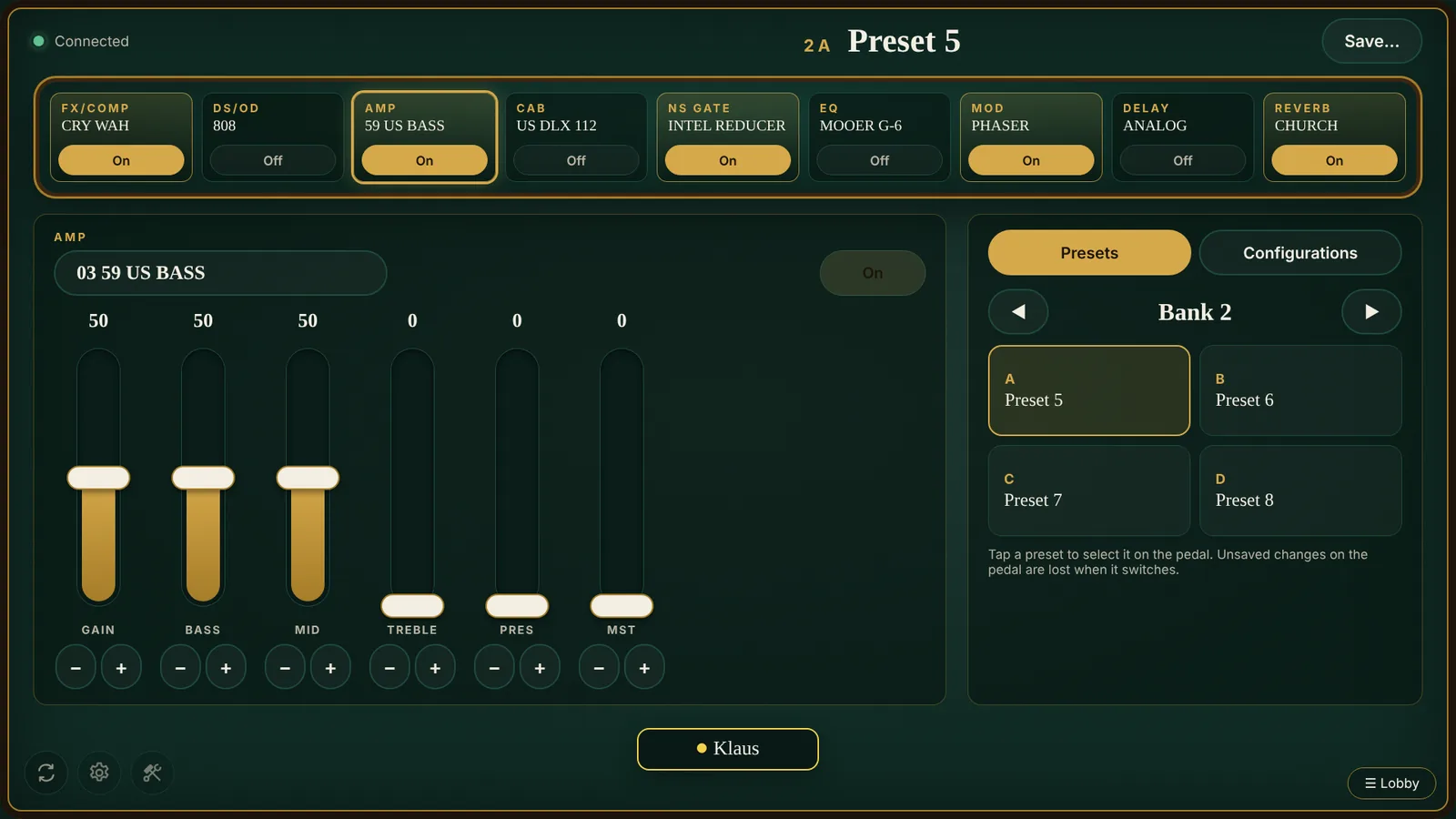
- Needs the pedal. A Mooer GE150 Pro (firmware 2.1.2 or newer), connected by USB to the computer that runs the table's board. The guitar plays through the pedal as always; the table only controls it.
- The board is the editor. The signal chain, each module on or off, its model and every parameter on a large fader; banks and presets; save a sound to its slot (it asks first).
- The phone is the second screen. Play: the current preset, the next and previous, eight quick slots. Rhythm: the pedal's drum machine and a click from the table's speakers with tap tempo. Pedal: the connection and your saved configurations.
- One player. Like FM-1 Synth, it takes the table's single seat; the lobby, the QR code and the phone work as for any game.
- Open source, unofficial. The game, its pedal library and its browser tests are in klaushofrichter/ge150pro-game (MIT), on the hosted service for the tables that tick it in the console. Not affiliated with or endorsed by Mooer; "Mooer" and "GE150" are trademarks of their owners.
Make it yours
Customized card designs can be selected in FreeCell.
The same game, six decks: the table's own cards, a plain one that is easy to read from across the room, and four with a character of their own. A game on Game Table is ordinary web code, so its look is as open as its rules.
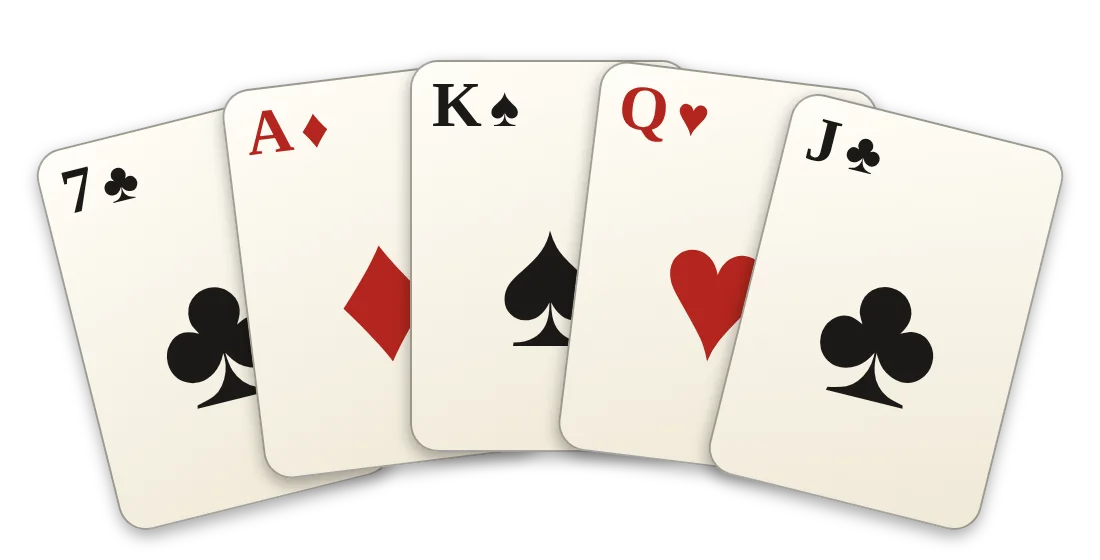
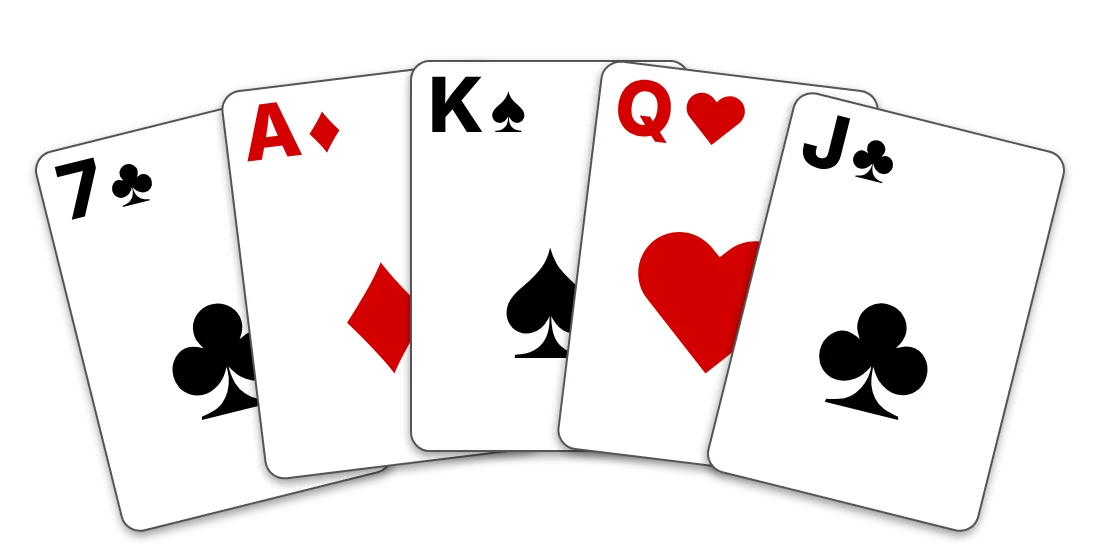
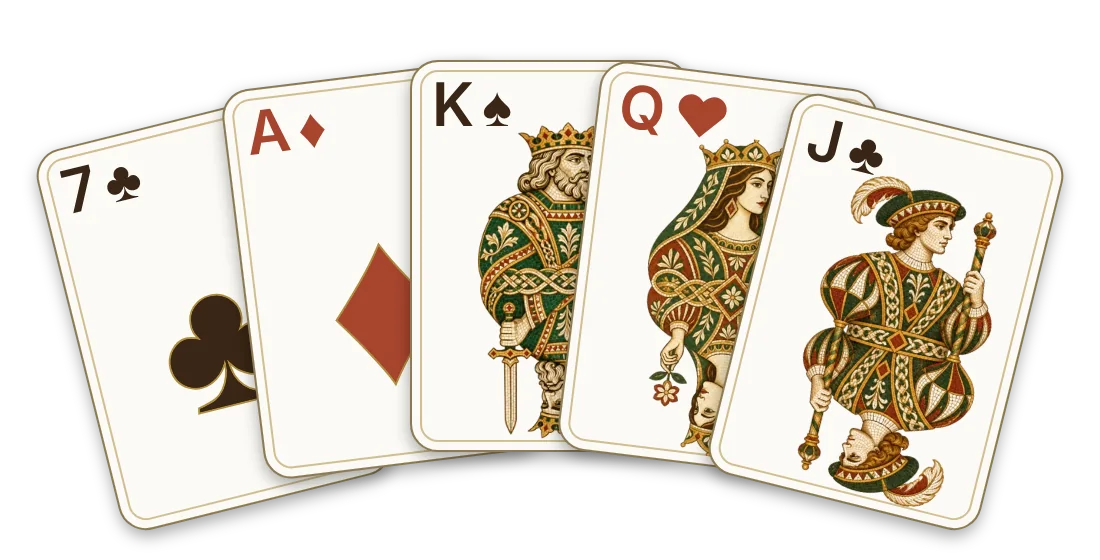
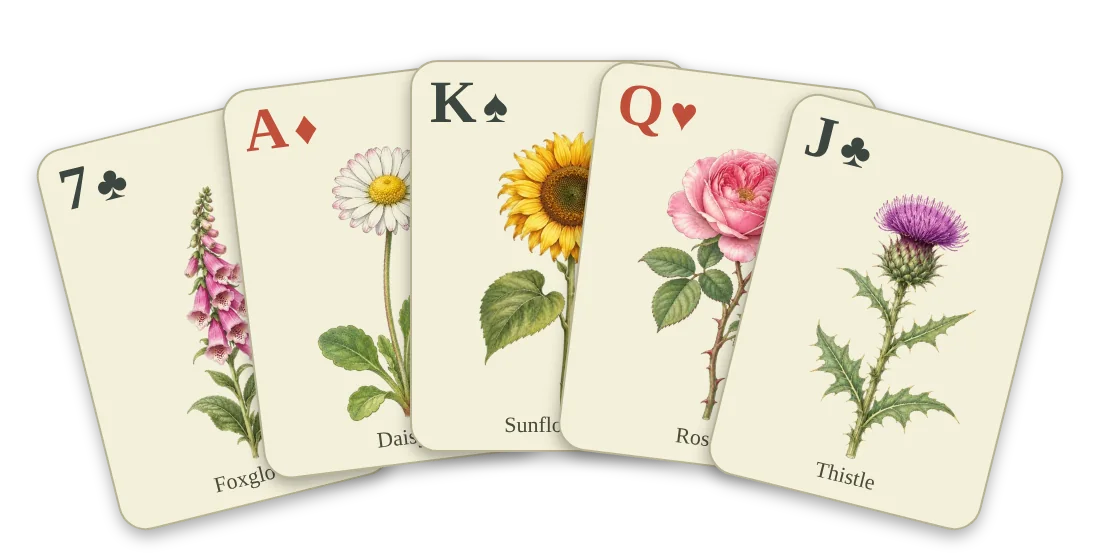
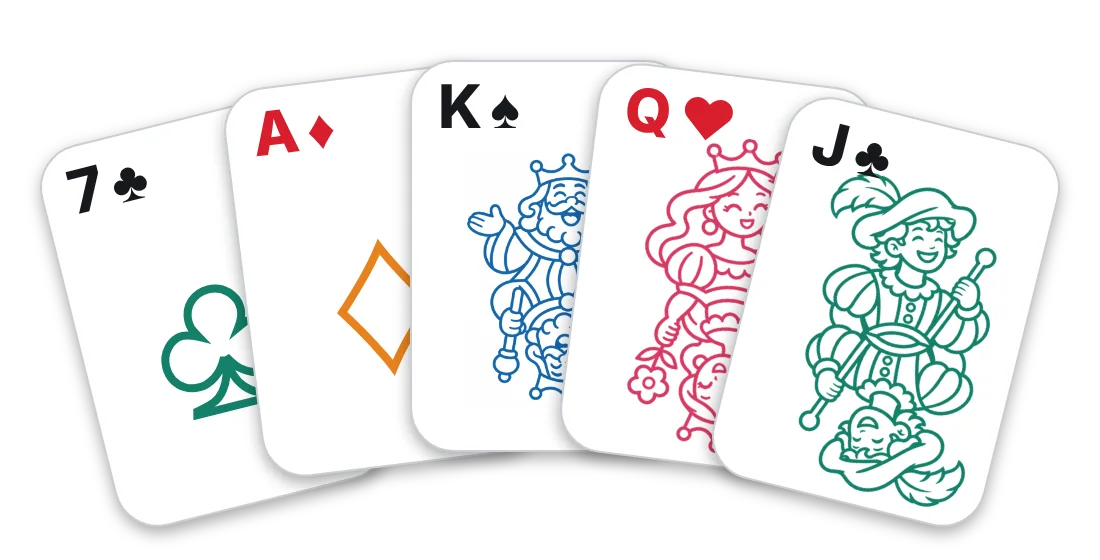
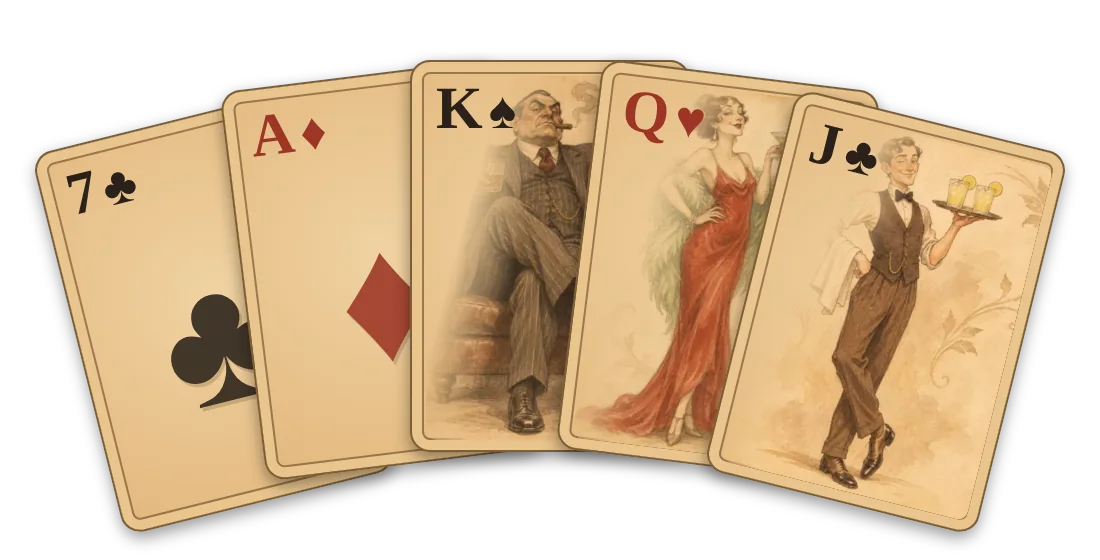
- Chosen on the phone. The six designs are listed there, each with a few of its cards. Tap one and the board changes at once, also in the middle of a game.
- The table remembers. The design is kept with the game's data on the table's own computer, and is there again for the next game.
- Ask your AI for more. A design is a short stylesheet and, if you like, pictures for the court cards. Tell your AI what you have in mind, a deck for the holidays or one in your club's colours, and it adds a seventh.
- Drawn by an image model. The flowers and the court figures of Mosaic, Linea and Speakeasy were generated with GPT Image 2.6, then trimmed for the table. The number cards are drawn by the page.
- Open source. The designs are part of FreeCell in the platform's repository.
Test and debug
Test without players. Debug with your AI.
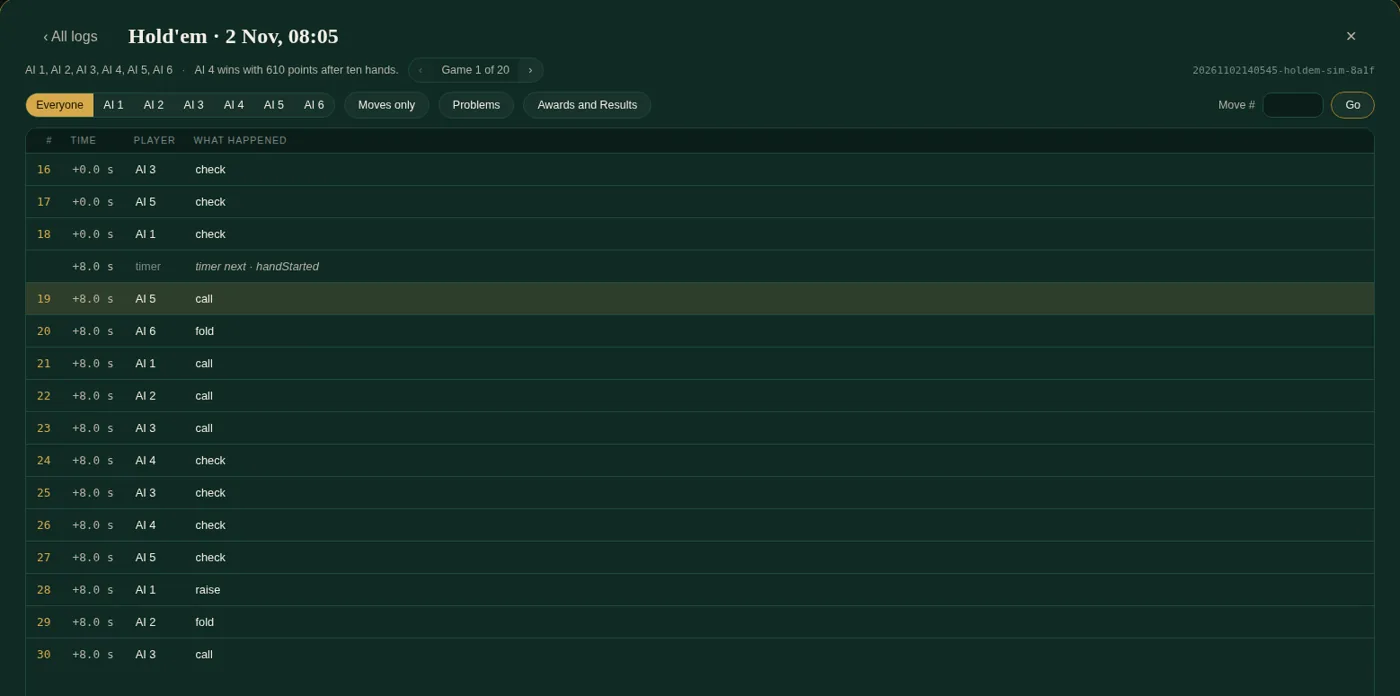
You don't need four friends to find a bug. Fill every seat with AI players and let the games run, then hand the log to your AI and point it at the move that went wrong.
Games with nobody at the table
Run whole games with only AI players: no board, no phones, no people. Twenty games of Hold'em with six AI players finish in under a second, and a seed makes a run repeat exactly.
# the board control API
POST /api/v1/simulation
{ "gameId": "holdem", "players": 6,
  "games": 20, "seed": 42 }

# every game, every player count
node scripts/soak.ts 100
Logs your AI can read
Every game, played or simulated, is saved as a zip: every move, the state at the end, and a README.md that explains the format to whoever opens it. Each game is replayed when it ends to check it reaches the same state.
$ node scripts/game-log.ts \
    run.zip moves 40-42
  #40  L42   +8.0s   AI 1   raise
  #41  L43   +8.0s   AI 3   call
  #42  L44   +8.0s   AI 5   call
$ node scripts/game-log.ts \
    run.zip move 42
  … the intent, events and the state
    before and after the move
Point at the exact move
The board's Game Viewer lists every move of every finished game, simulations included. Open a move and copy its reference, then ask your AI about it:
Read the log 20261022213307-holdem-sim-68f1, game 1 #42. Why did AI 5 call there?
Everything the board can do is also an HTTP call, including each finished game's moves and statistics, so an agent can start games, read the history and check its fix by itself.